
A local business can have a genuine offer, a working phone number and a useful landing page, yet still put the wrong message in the wrong part of its Google Business Profile. That creates two problems: the profile becomes harder to understand, and the content may run into rules that differ between permanent business information and posts.
Google My Business, still commonly called GMB, is now Google Business Profile. This guide is a current policy and implementation audit checked on 12 October 2026. It is not a claim of a new update in the last 24–48 hours. The routing framework, examples and seven-day action plan are Karan Mehra’s proposed approach; they are not Google ranking factors or measured client results.
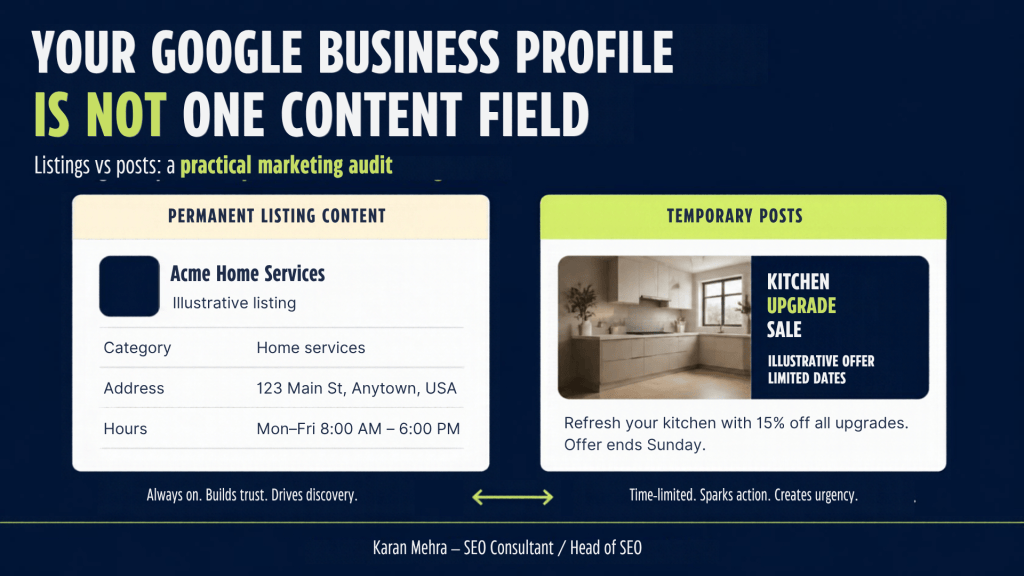
Google Business Profile listing content and posts have different jobs
Google’s current advertising and solicitation policy distinguishes merchant listings from posts. It prohibits listing promotional content containing time-bound promotions, pricing or direct calls to action. It also says offers and updates that may be promotional are otherwise permitted in posts, while restricting contact information and links unrelated to the business. This is a placement distinction, not a blanket ban on business offers.
For a practical audit, separate the identity of the business from the current reason to engage with it. The identity explains what the business is, where it operates and how customers can use it. A campaign explains a temporary opportunity, event or update. Mixing the two turns every campaign change into a profile maintenance problem.
Treat the business description as a durable introduction
Google’s business representation guidelines say the description should explain useful information about products, services, mission and history. It should not focus on promotions, prices or sales, and it cannot contain links. The business name must reflect the real-world name rather than unnecessary marketing additions.
Consider a hypothetical home-services business. A description explaining its actual repair and installation services is a durable introduction. A sentence saying that a discount ends on Sunday is a campaign message. Keep the first in the appropriate business information and route an eligible version of the second into an Offer post. This example illustrates routing; it is not a real offer or a claim that a particular business is eligible.
Need a second set of eyes on your profile? Ask PRM Digital for a local SEO review that checks content placement and the customer journey together.
A practical content-routing framework for GMB
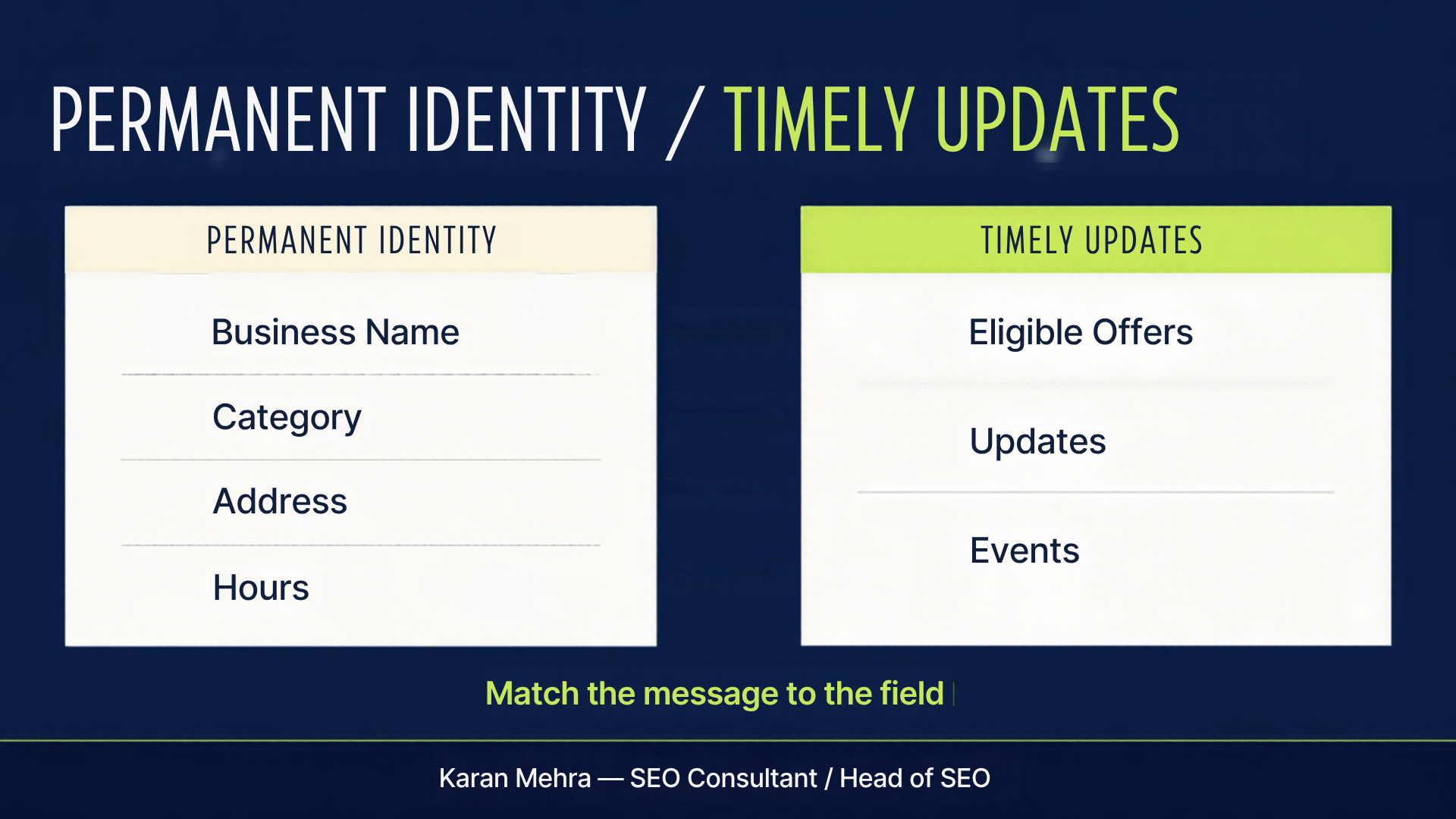
Before creating another post, classify the message. Ask whether it describes the business, changes a customer’s immediate decision or asks the customer to complete an action. One announcement may contain all three, so divide it into the correct components rather than copying the whole paragraph into every field.
| Message | Recommended treatment | Check before publishing |
|---|---|---|
| What the business does | Relevant business description and categories | Accurate, useful and consistent with the real business |
| Where or when customers can visit | Address, service area and applicable hours fields | Correct for the actual location and operating model |
| An eligible limited-time deal | Offer post | Dates, conditions, destination and industry restrictions |
| An event or timely announcement | Event or Update post | Suitable post type, clear timing and relevant information |
| A customer should call or book | Appropriate action button | Verified number or relevant working destination |
This table is an operational framework, not a replacement for Google’s field-specific rules. Some industries and business types have additional restrictions. Use the rules for the actual profile before adopting an offer template across every location.
Build a campaign brief that includes the destination
A good posting brief names the profile, post type, message, start and end dates, conditions, asset, button destination and owner. Add the policy source used for the decision and the date it was checked. These details make the package reviewable and help a replacement team understand why a particular format was chosen.
The landing page should fulfill the promise in the post. If the message announces a particular service or offer, sending visitors to an unrelated page adds friction. Check the experience on a phone, including whether the main action works, the location is clear and the conditions are easy to find. These are usability recommendations, not claimed ranking signals.
For multiple locations, keep campaign facts separate from local facts. A common creative can be adapted, but the destination, availability and operating details must match each participating location. Record the exceptions explicitly instead of assuming that a chain-wide message applies everywhere.
Unsure where your next update belongs? Share the message with Karan on WhatsApp: +91 98036 18014.
Phone numbers in Google Business Profile posts: verify rather than generalize
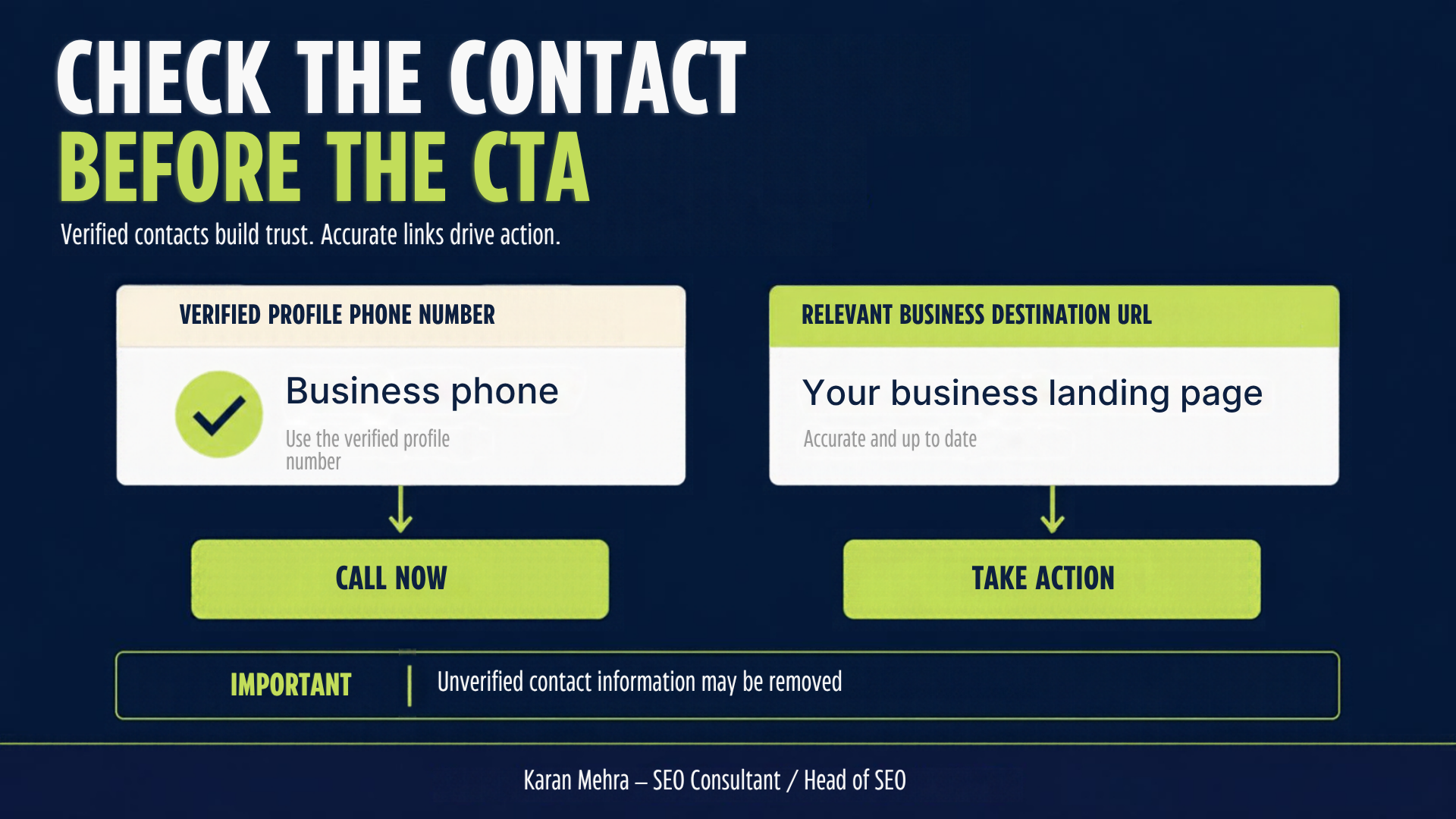
Google’s posts content policy says it may remove posts containing unverified contact information, including phone numbers, email addresses and social handles. It offers the Call now button as an alternative using the profile’s verified phone number. The post management documentation adds that phone numbers in descriptions might be rejected if their connection to the business cannot be verified.
Avoid reducing this to either ‘all phone numbers are banned’ or ‘any business number is safe.’ The useful check is whether the contact is connected to the actual business and whether the selected field or button is appropriate. Where a call is the intended action, the verified profile number and Call now button provide a clear route.
For an agency, a client’s profile should connect customers to that client’s business. An agency’s own contact details belong on its own marketing materials. Do not place an agency sales number into a client’s post merely because it appears in a reusable design footer. The PRM Digital contact CTAs in this article and its social graphics are agency marketing, not examples to paste into another merchant’s GMB content.
Use a short verification record
Record the intended contact, which location it represents, who controls it and the supporting business source. Test the destination and note the result. When changing a number or URL, preserve the previous value and the reason for the change. A clear record is more useful than relying on a screenshot without context.
If a post is rejected, identify the specific asset and text that were submitted, the visible rejection information and the policy that may apply. Fix the evidence-backed issue before retrying. Repeatedly resubmitting identical content creates noise and does not establish that the original content was compliant.
Choose the post format around the customer’s decision
Google documents Update, Offer and Event formats. Updates can include an action button and link. Offers require a title, dates and time and include a View Offer button; optional details include terms. Events include a title and start and end information. These are supported formats, not a promise that every post is eligible for every industry.
Use a simple editorial test: after reading the post, can a customer tell what has changed, whether it applies to them and what happens next? An event needs clear timing. An offer needs understandable conditions. A service update needs a specific change rather than a generic sentence about being the best.
Google’s hotel guidance is an important exception: hotels cannot create Offer posts or posts mentioning or linking to deals, promotions or discounts. Restricted goods and services also need a separate policy review. Check these exceptions before scheduling a generic offer creative across a mixed client portfolio.
Do not confuse more posts with better local rankings
Google’s local ranking guidance describes relevance, distance and prominence. It says businesses cannot request or pay for a better local ranking. Treat a publishing cadence as a way to maintain useful customer information, not a guaranteed ranking formula.
Instead of promising that weekly posting will move a profile to first place, define what the campaign is trying to help a customer do. Then measure whether the route works. A well-maintained profile can still face a competitive market and geographic limits; no content calendar removes those conditions.
Want the profile and landing page reviewed together? Explore PRM Digital’s local SEO services.
Measure GMB actions separately from business outcomes
Google’s performance documentation defines Calls as clicks on the profile’s call button and Website clicks as clicks on its website link. Those values do not establish answered calls, qualified enquiries or sales. Available metrics vary by business, and the performance data can include both organic and Google Ads activity.
Use three layers in the reporting brief. First, record the platform action. Second, use the business’s appropriate records to identify actual enquiries and their quality. Third, track the accepted commercial outcome, such as a booking or completed job. Keep the definitions visible so a report does not label every action as a lead.
Where the website receives traffic from a controlled business link, use a consistent campaign-tagging approach supported by the destination and available field. Document source, medium, campaign and location conventions. Test the URL before publishing. Avoid customer identifiers in tracking parameters and do not assume a link’s availability across all profiles.
Compare like-for-like periods and note closures, offer changes, seasonality and paid activity. If platform activity rises while genuine enquiries do not, inspect the destination and contact route before claiming campaign success. If customer outcomes improve with stable activity, the business may have improved its handling of demand. Both are hypotheses to investigate with actual records.
Need a clearer local marketing scorecard? Discuss the measurements on WhatsApp: +91 98036 18014.
A seven-day Google Business Profile audit
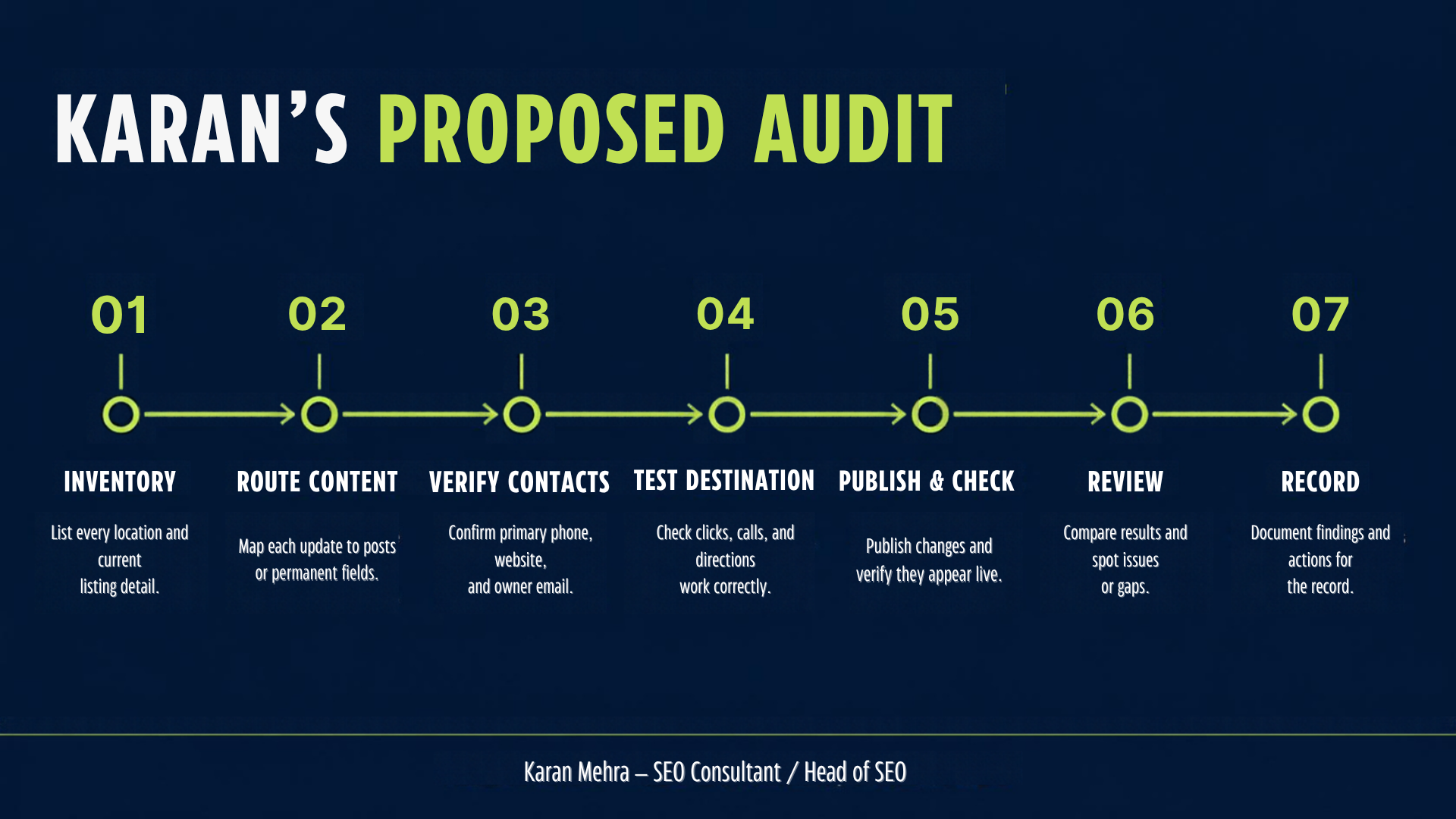
Day 1 — Inventory. Capture the current name, description, categories, location details, contact route and recent posts. Record the profile and business owner. Separate facts that are wrong from content that is merely outdated.
Day 2 — Route. Mark each message as permanent business information, timely update, eligible offer or event. Rewrite promotional descriptions as factual introductions and prepare any eligible campaign as a suitable post.
Day 3 — Verify. Check that phone numbers and destinations belong to the correct business and location. Flag anything you cannot substantiate. Review applicable industry exceptions.
Day 4 — Test. Follow the intended customer journey on mobile. Check whether the action leads to the promised destination and whether staff can handle the resulting enquiry.
Day 5 — Publish and check. Submit the reviewed changes within the owner’s authority. Verify the actual public state and post status. Keep an unresolved or rejected item separate from a successful change.
Day 6 — Review. Inspect the available interaction data and actual business records. Treat early observations as diagnostic, not proof of a ranking improvement or campaign ROI.
Day 7 — Record. Save the final copy, assets, destinations, status, sources and open issues. Assign the next review date and an owner for expiry-sensitive updates.
Frequently asked questions
Can a Google Business Profile still publish offers?
Eligible offers are supported through posts, subject to policy and industry exceptions. Promotional content in permanent listing information has different restrictions. Choose the format for the actual business rather than copying an offer into its description.
Are all phone numbers prohibited in posts?
The current help pages focus on unverified contacts and whether a phone number can be connected to the business. Use the verified profile’s Call now button when appropriate, and check the relevant contact and content rules.
Does the Calls metric count answered conversations?
Google defines it as call-button clicks. Use appropriate business records to distinguish an action click from an answered conversation, qualified enquiry or sale.
Is this a newly announced October 12 update?
No. This is a current audit of Google’s published guidance, verified on 12 October 2026. It does not assert a new launch date, universal rollout or measured client outcome.
The next useful change is a better route
Start with one profile and one customer action. Put lasting business information in the correct fields, route eligible campaigns through appropriate posts and verify the contact and destination. That produces a profile customers can understand and a workflow the business can maintain.
Ready to audit your profile? Contact Karan Mehra on WhatsApp: +91 98036 18014.
Editorial note: examples are hypothetical and the audit framework is original analysis. Official policy links were checked on 12 October 2026. No profile edits or performance results for a client are claimed.


Leave a Reply