
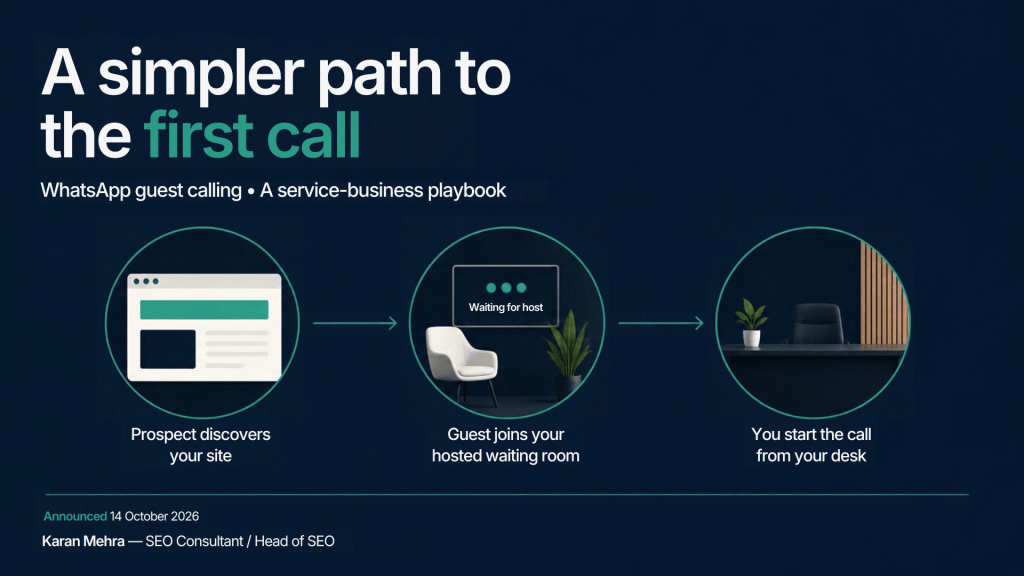
A prospect has agreed to a consultation. Your team sends a meeting invite, then spends the next ten minutes explaining which app to install. The marketing campaign did its job; the handoff created the friction.
WhatsApp’s guest calling announcement on 14 October 2026 gives service businesses another option for that handoff. It is worth evaluating for consultations, onboarding and proposal reviews, particularly when the customer prefers a browser. It is not evidence that changing the meeting tool will improve conversion. That needs a controlled business test.
This guide separates the documented product change from a recommended operating model. The workflow, field names, examples and pilot below are implementation recommendations, not features claimed by Meta or results from a client campaign.
What changed, and what remains to be tested
Meta’s announcement says people without WhatsApp accounts can join calls from a computer browser through an invite link. The host needs an account to create the link. Guests enter a name, wait for host approval and can join individual or group calls, with up to 32 participants. Meta describes the calls as free, encrypted end to end and without time limits.
Guests cannot see other participants’ phone numbers, send messages or add people. Screen sharing, reactions and raising a hand are supported. Google and Outlook calendar integrations were announced for later in 2026; do not describe them as already available. Test actual availability on the host account before offering the option to customers.
That last distinction matters. A launch announcement is a reason to investigate, not a substitute for testing the complete appointment journey. Run a rehearsal with a colleague using the same device class and browser your prospects are likely to use. Check permissions, waiting-room behavior, screen sharing and the fallback route when joining fails.
For a business connecting acquisition, booking and follow-up, PRM Digital’s AI solutions can help scope the surrounding workflow and human handoff. Any proposed automation should be evaluated separately from WhatsApp’s consumer calling feature.
Keep booking, chat and call links separate
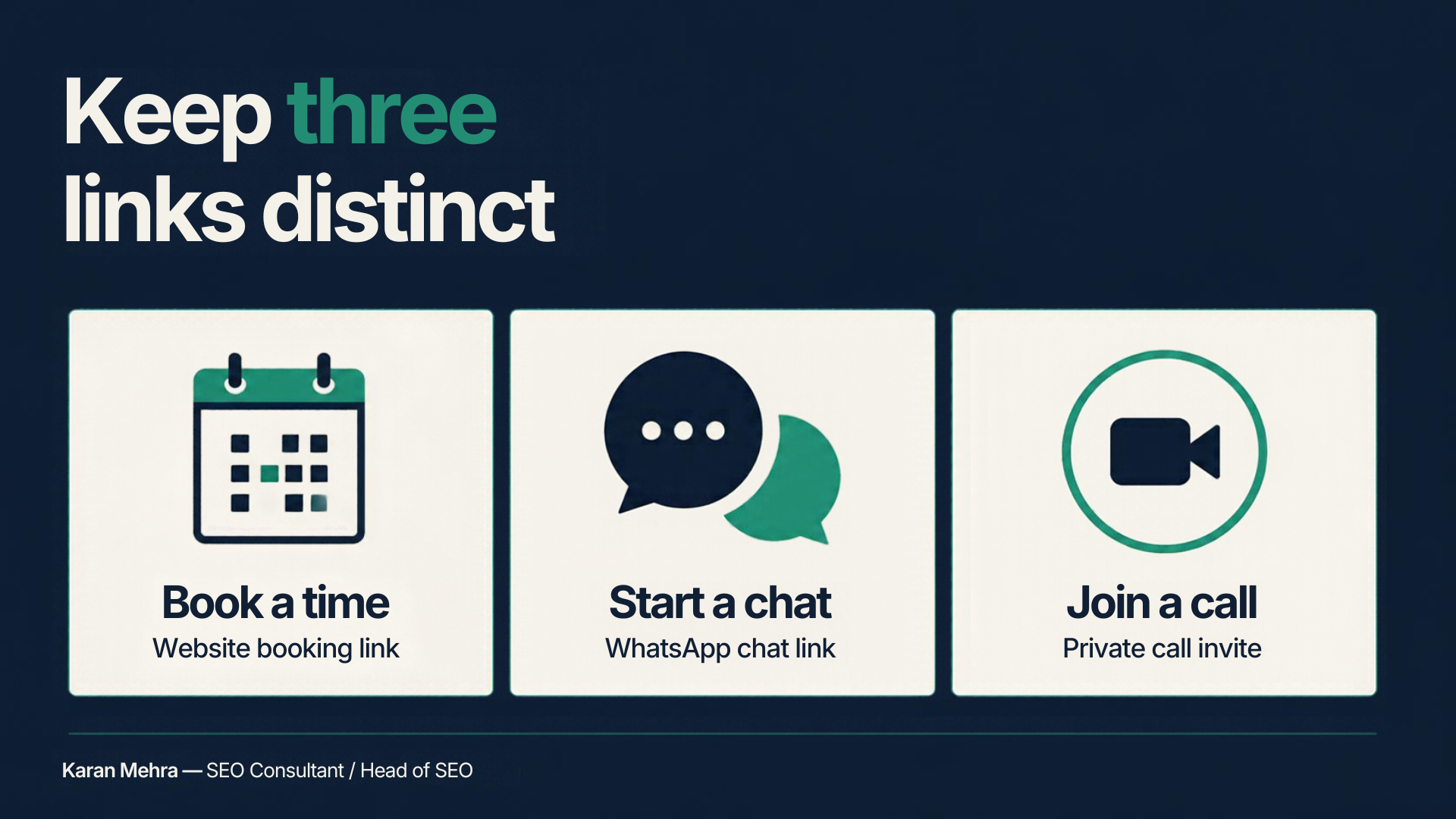
Three links can appear in the same customer journey, but they serve different purposes. The booking page establishes the appointment. A chat link opens a conversation. A private call invite is the meeting destination. Label each by its actual purpose rather than placing three identical “Contact us” buttons together.
The booking page establishes the commitment
Use a page on your own website to explain the consultation: who it is for, what will be discussed, the duration, time zone, host and cancellation route. Collect only the information needed to arrange and prepare for the meeting. Keep a normal alternative available for people who cannot use the selected call option.
The confirmation should say what happens next. For example: “Your consultation is booked for Tuesday at 3:00 PM IST. We will send a private joining link before the appointment. Please join from a computer browser and use the name on your booking.” This is sample operational copy, not a product requirement.
The chat link starts a conversation
A WhatsApp chat CTA should be labelled as a chat. Do not call it “Join meeting” or imply that clicking it reserves a time. Your team should confirm the appointment explicitly, then deliver the appropriate invite through the agreed communication channel.
Need help deciding where chat should sit in your enquiry journey? Discuss the handoff on WhatsApp at +91 98036 18014.
The call invite belongs to the appointment
Our recommended practice is to share the invite with intended attendees after confirmation, rather than treating it as an evergreen public website CTA. Assign responsibility for creating the link, checking the booking and admitting the participant. A displayed guest name is useful context, but your business should not treat it as verified customer identity.
Keep sensitive account changes, payment instructions and identity checks inside your established business process. A successful conversation should not automatically authorize a change to a customer record or a transaction.
Build the handoff before adding automation
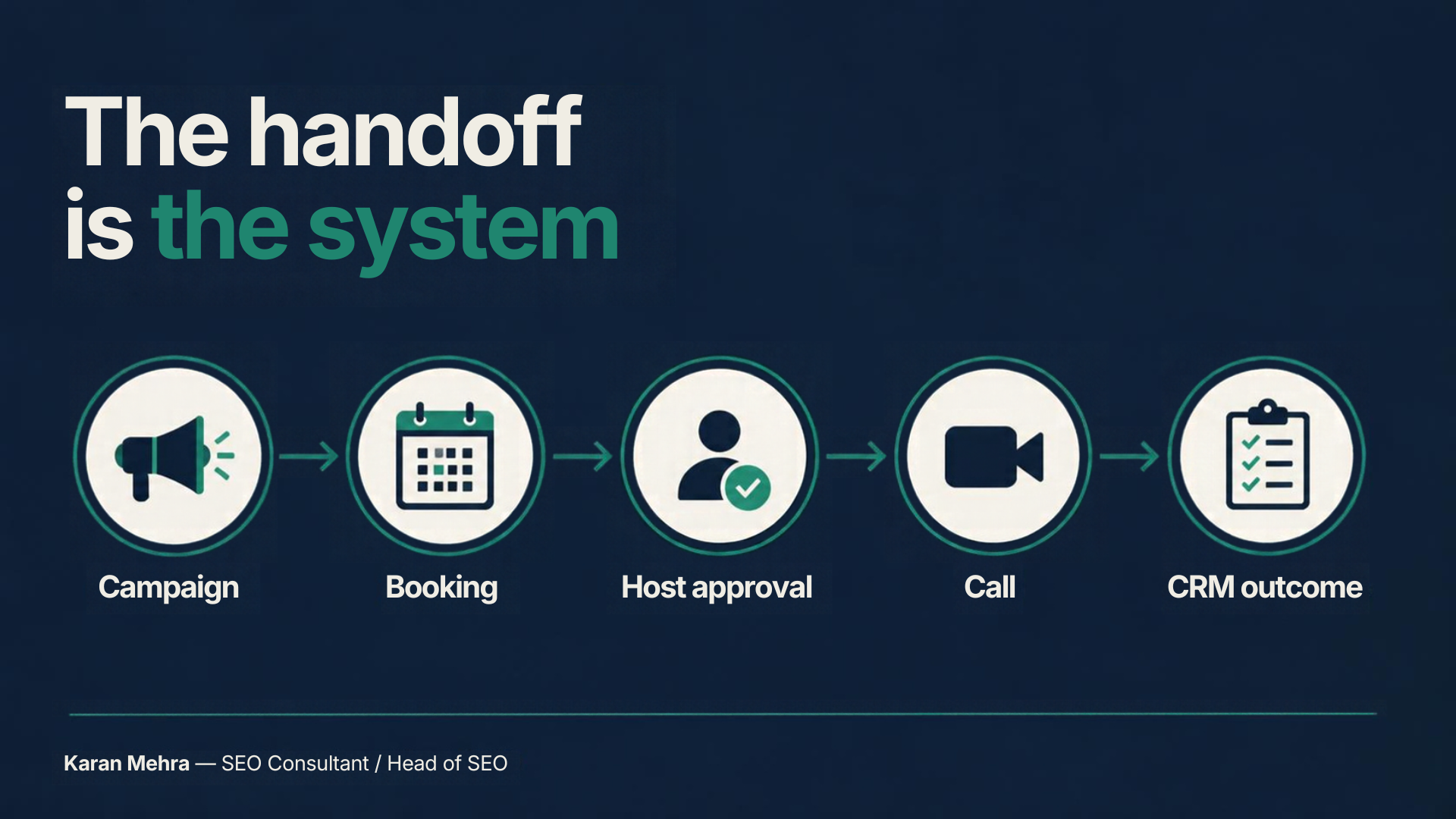
The weak point in many service funnels is not a missing tool. It is an unowned transition. Marketing considers a booking complete, sales assumes someone else will send the invite, and the customer waits. Define one owner for the appointment from confirmation through outcome recording.
Use a small, explicit state model
A useful internal model is: enquiry received, appointment booked, invite sent, attended, outcome recorded, next step agreed. Keep cancellation and no-show outcomes distinct. Each state needs a timestamp, an owner and a rule for moving forward.
For example, “attended” should mean that a staff member confirms the conversation happened. An invite being sent is not attendance. “Qualified” should mean the prospect meets the business’s agreed criteria, such as service fit and an actionable requirement. It should not mean they merely stayed on the call.
Keep the CRM record useful and proportionate
Start with a booking identifier, campaign source, service requested, scheduled time, assigned host, attendance status, qualification result and next-action date. Add a concise outcome note that the next colleague can understand. Avoid copying complete conversations into a CRM by default.
These are suggested internal fields. They are not WhatsApp API objects. Do not assume the consumer feature exposes attendance events, transcripts, call recordings or CRM webhooks. Before building an integration, verify its actual supported interfaces and the account’s eligibility through the relevant vendor documentation.
Automate the surrounding administration cautiously
A booking confirmation, staff reminder or task assignment may be a useful automation if your existing systems support it. Keep the host’s admission decision and the business qualification decision with the responsible person during the pilot. This creates a reliable baseline before you attempt more complex routing.
A failed automation needs an observable exception. If the invite is not sent by the agreed deadline, create a staff task instead of silently leaving the appointment in a completed state. If a host is unavailable, notify the customer with the replacement or rescheduling option.
A realistic example: a local renovation consultation
Consider a hypothetical renovation company receiving enquiries from Google Ads, Instagram and organic search. Some prospects want a quick discussion before agreeing to a site visit. This example illustrates process design; it does not report a measured client outcome.
The landing page explains the consultation and gathers the project location, broad requirement and preferred time. A coordinator checks service coverage, confirms the appointment and assigns a consultant. The consultant creates and sends the private call invite through the customer’s agreed channel.
At the scheduled time, the host matches the guest’s stated name to the booking before admitting them. The conversation establishes whether a site visit is appropriate. Afterwards, the consultant records attended, service fit, next action and the colleague responsible for that action.
If the browser call does not work, the coordinator uses the previously agreed fallback. If the prospect does not attend, the record remains a no-show rather than becoming a failed lead automatically. This distinction helps the team investigate reminders and joining problems separately from poor acquisition quality.
For a practical review of a similar enquiry-to-appointment process, contact +91 98036 18014 on WhatsApp with the stages your team currently uses.
Measure the business outcome, not the link click
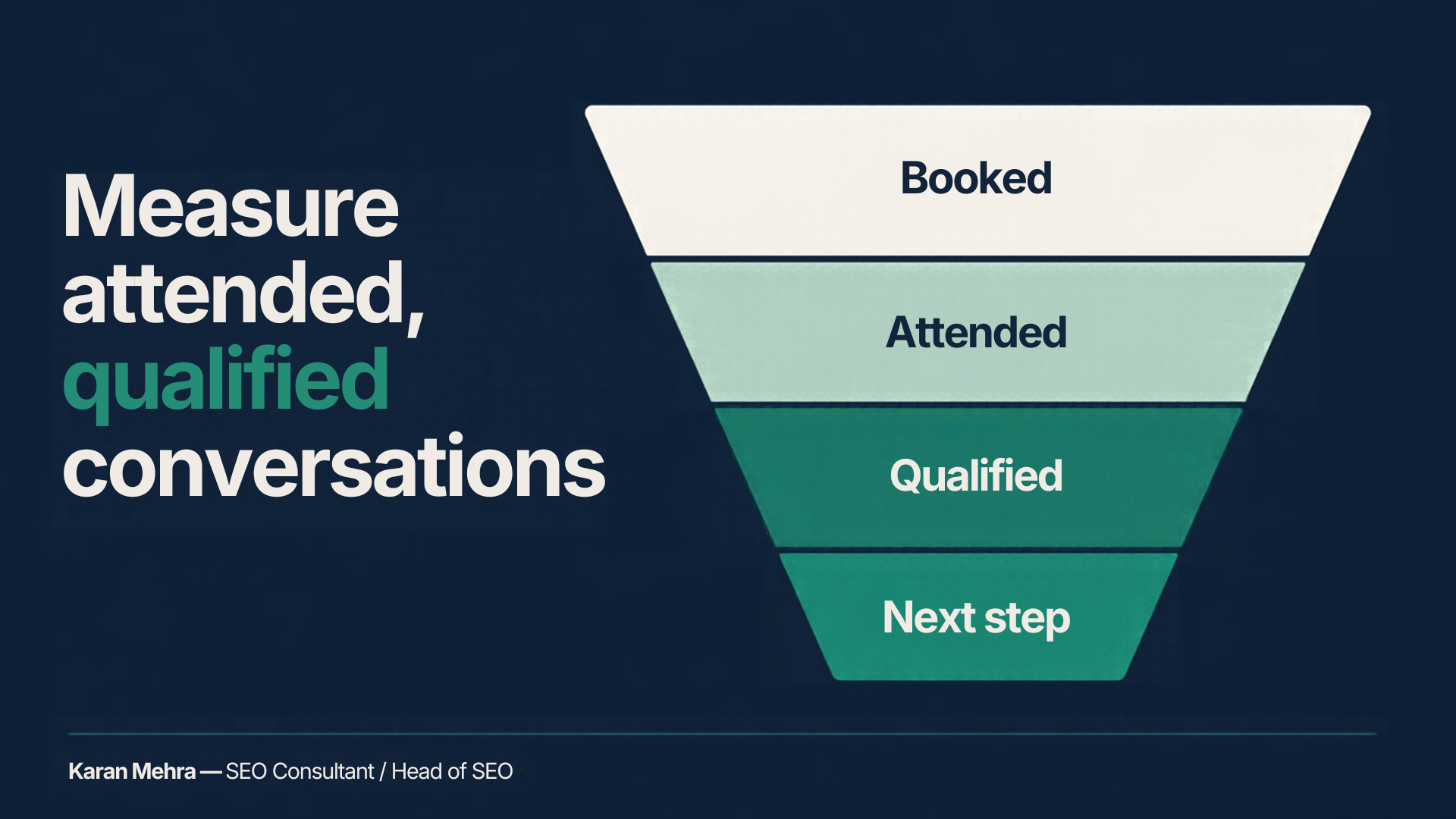
A call-link click is a weak proxy for a consultation. A useful scorecard follows the journey through booking, attendance, qualification and the agreed next step. Keep the definitions stable while comparing meeting options.
Define four denominators before the pilot
Attendance rate is attended appointments divided by booked appointments. Qualification rate is qualified conversations divided by attended appointments. Next-step rate is agreed next steps divided by qualified conversations. Cost per qualified conversation is attributable acquisition cost divided by qualified conversations.
Choose how cancellations and reschedules enter those calculations before reporting. For a rescheduled appointment, use a stable booking identifier so the same opportunity is not counted as two new bookings. Keep the original appointment date and the final outcome date available for reconciliation.
These formulas are management recommendations. They do not imply that WhatsApp supplies a native report for every stage. During a small pilot, a well-maintained CRM field or shared appointment log can be more dependable than a rushed integration.
Keep acquisition attribution distinct from attendance
Capture campaign source on your own booking journey where technically supported and appropriate. Preserve the booking identifier through internal tasks. Have the host record the outcome against that record. Do not append customer details or confidential project notes to public campaign URLs.
Compare like with like. A high-intent returning customer and a cold social enquiry are different cohorts. If your new meeting option is offered only to highly engaged leads, better attendance would not prove that the tool caused the improvement. Account for source, service type, scheduling delay and host availability.
Set a decision rule instead of promising uplift
Choose a pilot period that gives the team enough completed appointments to learn from. Review join failures, staff preparation time, attendance and qualified outcomes together. A simpler joining experience is valuable only if it supports the customer and does not create more administrative work elsewhere.
For a website and booking journey that supports that measurement, PRM Digital’s website development service can help connect landing-page intent, appointment information and a clearer next step.
A practical rollout checklist
First: rehearse the customer experience
Use the actual host account and a colleague acting as an external guest. Check that the feature is available, that the invitation wording is clear, and that the host can manage admission. Test a failed-join scenario and write a short fallback instruction. Do not promise a mobile guest flow based only on documentation describing a computer browser.
Next: agree the operating rules
Name the appointment owner, the backup host and the person responsible for closing the CRM task. Establish when the invite is sent and how late arrivals are handled. Give staff a short qualification checklist and a concise outcome template. Make the next-action date mandatory in your internal procedure where appropriate.
Then: pilot with one service and one team
Keep the scope narrow enough to diagnose failures. Record the meeting option offered, the option chosen and the reason for any fallback. Review the first completed appointments with the staff who actually handled them. Fix unclear wording and missing ownership before increasing volume.
Finally: decide whether to expand
Look for consistent customer usability, reliable handoffs and usable outcome data. If the process works, extend it gradually. If not, keep the existing meeting option and resolve the observed problem. There is no commercial benefit in adopting a feature before your team can support it.
To map the pilot and its reporting fields to your business, message +91 98036 18014 on WhatsApp. Bring the current booking steps and one anonymised example of where a handoff gets delayed.
Frequently asked questions
Can a prospect join without creating a WhatsApp account?
Yes. The announced guest flow permits joining through a computer browser using a call invite and host approval. Rehearse it on the intended setup before offering it as a customer option.
Is a WhatsApp chat CTA the same as a call invite?
No. Use chat CTAs for enquiries and a separately labelled invitation for the appointment. A customer clicking a chat link should not be told that a meeting has been booked automatically.
Are Google and Outlook calendar integrations already live?
The 14 October announcement describes them as planned for later in 2026. Check their current availability before writing operating instructions around them.
Does this automatically connect calling to a CRM?
The announcement does not establish that. The CRM workflow in this guide is a recommended business process, which can start with staff recording outcomes. Validate any proposed technical integration separately.
Should every service business switch its meeting platform?
No. Evaluate this option against the customer’s joining experience, staff workload and qualified appointment outcomes. Preserve the meeting route that your customers and team can use reliably.
Explore AiSensy for your WhatsApp Business API setup
If you are evaluating a platform for your WhatsApp Business API setup, you can explore AiSensy through my referral link below. Check its current plans, account eligibility and supported integrations against your requirements. This is separate from the consumer guest-calling feature discussed above; do not assume that feature is available through AiSensy.
Affiliate disclosure: I may earn a commission if you sign up or purchase through this link.


Leave a Reply