
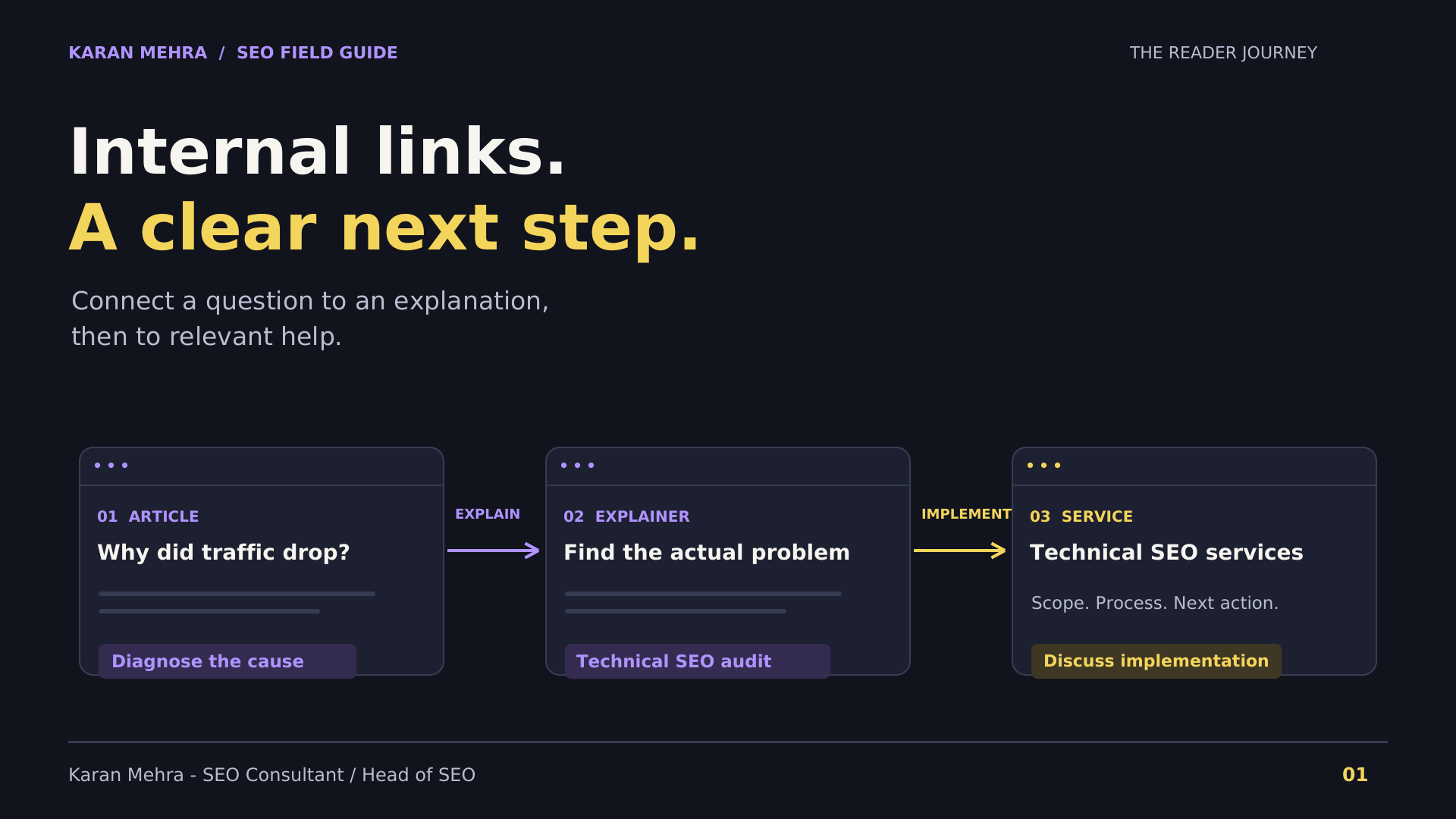
A business can publish useful articles every week and still leave readers stranded. The guide explains the problem, the final paragraph says “contact us,” and nothing between those points helps a visitor decide what to read or do next.
Internal linking closes that gap when each link has a clear purpose. A reader who needs evidence should reach an explanation. A reader comparing approaches should reach a comparison. A reader who wants implementation should reach the relevant service.
Quick answer: Build an internal linking strategy around reader intent, descriptive anchors and verified destinations. Start with the pages your business needs to support, find genuinely related passages in existing content, and add links where the destination answers a useful next question. Audit the journey rather than chasing a fixed link count.
What internal linking can—and cannot—do
Google’s link best-practice documentation explains that links help it discover pages and assess relevance. It recommends crawlable anchor elements with an href, and concise, descriptive link text that fits both the source and destination.
That gives a practical baseline. Internal linking is part of site architecture and navigation; it is not a substitute for a destination that actually answers the question. A well-written anchor cannot repair an irrelevant service page or a weak article.
For a business owner, the useful question is: can someone move from recognising a problem to understanding the options and evaluating help? That journey should be understandable even if search rankings never change.
If the project begins with falling traffic, first use a traffic-drop diagnosis to separate measurement, technical and content issues. Adding links before identifying the problem can turn a focused fix into a site-wide editing exercise.
1. Choose the destination before choosing the keyword
Begin with a destination inventory. For each important page, record its purpose, intended audience, current URL and next action. Do not treat every page containing a similar word as an equally good destination.
- An explanatory article answers a focused question or fills a knowledge gap.
- A comparison helps the reader evaluate alternatives.
- A service page explains the work offered, scope and engagement.
- A contact page is appropriate when the reader is ready to discuss a specific need.
For example, a paragraph about orphan pages and crawl paths can naturally point to technical SEO audit and implementation services. A paragraph about editorial approvals and recurring publishing belongs closer to content automation with editorial review. Those destinations solve different problems even though both sit within digital marketing.
A good destination inventory also reveals missing content. If no existing page answers the question, record the gap. Do not insert the homepage as a temporary substitute simply to complete a spreadsheet.
For coordinated architecture and content work, explore PRM Digital’s SEO planning and implementation support. Ask for a scope covering destination quality as well as source-page links.
2. Use a three-question test for every proposed link

This is an editorial review method, not a Google scoring system. It gives writers and reviewers the same language for accepting or rejecting a suggestion.
Does the destination answer the next useful question?
Read the paragraph without the link. Identify the question it creates. If the destination would interrupt that line of thought, reject it. Shared vocabulary is insufficient: an article about advertising attribution and a service page about video editing may both mention conversions without helping the same reader task.
Does the anchor describe what opens?
Write the anchor after deciding the destination. “Technical SEO audit” is appropriate only if the target explains that service. “Compare AI and filmed production” sets a different expectation. A short phrase should help readers predict the next page without reading the URL.
Is the target live, current and worth the visit?
Check more than the HTTP response. Confirm the final page is the intended one, its heading matches the promise, its examples remain useful and the mobile layout works. An error template can load successfully while still being a poor destination.
Want a second opinion on your link map? Discuss your priority pages on WhatsApp: +91 98036 18014.
3. Write anchors that fit the sentence

Avoid treating anchors as labels pasted into finished copy. Rewrite the sentence so the reader has a reason to follow the link. The surrounding words should explain why the resource is useful, while the anchor names it.
Weak example: “Internal linking is important. Read more about our services here.” The sentence explains neither the service nor the decision it supports.
Stronger example: “If the audit reveals pages that search engines cannot reach through ordinary navigation, include crawl-path repairs in the technical SEO implementation scope.” Link the specific service phrase only when the destination covers that work.
For a creative brief, a natural sentence is: “Before committing to a format, compare AI video ads with traditional production to assess accuracy, revision effort and the need for real demonstrations.” This is an editorial example of destination fit, not a performance claim.
Exact wording can be useful when it is natural. The aim is neither to repeat the same phrase everywhere nor to manufacture a different synonym for every occurrence. Review whether each sentence sounds like something a knowledgeable person would write for the reader.
4. Build a link map your team can review
A link map needs a reason, not just two URLs. Use one row per proposed placement and capture the source paragraph, proposed anchor, target, reader need, reviewer and verification date.
- Source passage: the precise sentence where the need arises.
- Destination: the final preferred URL, with its page purpose.
- Anchor: the words that will become clickable.
- Rationale: what the visitor gains by following it.
- Status: proposed, approved, implemented or rejected, with the reason.
For example, a content-planning article may discuss whether an unanswered audience question deserves a new guide or an update. A link to an existing planning framework is useful there; a direct sales CTA may be premature. Keeping the rationale visible makes this judgment reviewable.
The same principle applies when turning content gaps into an editorial plan: a missing topic is a candidate for investigation, not automatic permission to commission a new page. Improve or consolidate an existing answer when that better serves the audience.
5. Link to the preferred URL and remove avoidable detours
Google’s canonicalization guidance recommends linking internally to the canonical URL rather than a duplicate. Consistent destination choices help communicate which version you prefer.
In the editorial workflow, keep a single approved URL record for each destination. Update that record after a migration or slug change, and use it for future briefs. Check existing links for unnecessary redirects, retired domains, old campaign parameters and pages that have been replaced.
Keep these issues distinct. A redirect may still lead visitors to the correct page, but a direct link is clearer to maintain. A broken destination requires repair. Two pages serving different needs do not become duplicates merely because their titles share words.
If the site needs template or navigation changes alongside content edits, discuss PRM Digital’s website and SEO implementation services so editorial and development responsibilities are agreed together.
6. Use automation for suggestions, with editorial approval
An automated tool can identify candidate passages, match page topics and flag broken URLs. It should not decide that every repeated phrase deserves a link. A keyword match does not establish reader intent, product relevance or commercial suitability.
Give the system an approved destination inventory. Require each suggestion to include the source sentence, target, proposed anchor and a brief reason. Reject a suggestion if it changes the meaning, relies on a page that has not been checked, or creates a distracting cluster of links.
For a small pilot, review one article at a time. Record accepted and rejected suggestions so the team can improve its matching rules. Expand only after checking the saved page, not merely the proposed edits.
Building a repeatable review process? Plan your editorial linking workflow on WhatsApp: +91 98036 18014.
7. Measure the reader journey without inventing an SEO result
Create a baseline before changing the pages. Record the change date and affected URLs. Where analytics are configured, track article-to-destination clicks, relevant service-page engagement and completed enquiries. Keep navigation clicks separate from qualified enquiries.
Review search impressions, clicks and query patterns separately from on-site actions. A rise in service-page visits may reflect improved navigation; it does not, by itself, prove a ranking improvement. A change in rankings may also coincide with content edits, seasonality or other site work.
For an initial pilot, select a small set of related articles and one clearly defined service destination. Compare similar reporting periods, note other changes and examine whether visitors reach a more useful next step. Use the findings to refine the editorial method rather than claiming a universal uplift.
A practical first-week internal link audit
- Day 1: inventory priority destinations and confirm the need each page serves.
- Day 2: identify related source articles and review their actual passages.
- Day 3: prepare anchor suggestions and reader-focused rationales.
- Day 4: validate URLs, destination relevance and crawlable links.
- Day 5: implement approved changes and inspect the saved pages.
- Day 6: test mobile navigation and enquiry paths.
- Day 7: record the baseline, ownership and next review date.
This schedule is a suggested work plan. It is not a seven-day ranking promise. For a large or technically complex site, a smaller carefully checked pilot is more useful than rushing through the whole inventory.
Frequently asked questions
How many internal links should a blog contain?
Use enough links to support the reader’s task without turning the article into a directory. In this workflow, link count is an output of useful placements, not a target. Review repetitive destinations, unrelated anchors and passages with several competing links.
Should every blog link to a service page?
Only when the service is a relevant next step. Some informational articles are better connected to an explanation or comparison first. Forcing a sales destination into every section can weaken the reader’s trust in the recommendation.
Can internal linking guarantee AI citations?
No. Google’s guidance for AI features keeps established SEO practices relevant and describes eligibility requirements; it does not promise that a particular internal-link pattern earns an AI citation. Treat clear architecture as useful infrastructure, not a citation guarantee.
What should I fix first?
Start with misleading anchors and broken or irrelevant destinations. Then look at important useful pages with few relevant paths leading to them. After that, improve the editorial connections between explanations, comparisons and services.
Make every link earn its place
A good link lets the reader continue a useful line of thought. It has a specific destination, an honest anchor and a reason to exist in that sentence. That is a more durable editorial standard than a quota applied to every article.
Start with one service page and the articles that genuinely support it. Discuss your internal linking audit on WhatsApp: +91 98036 18014.